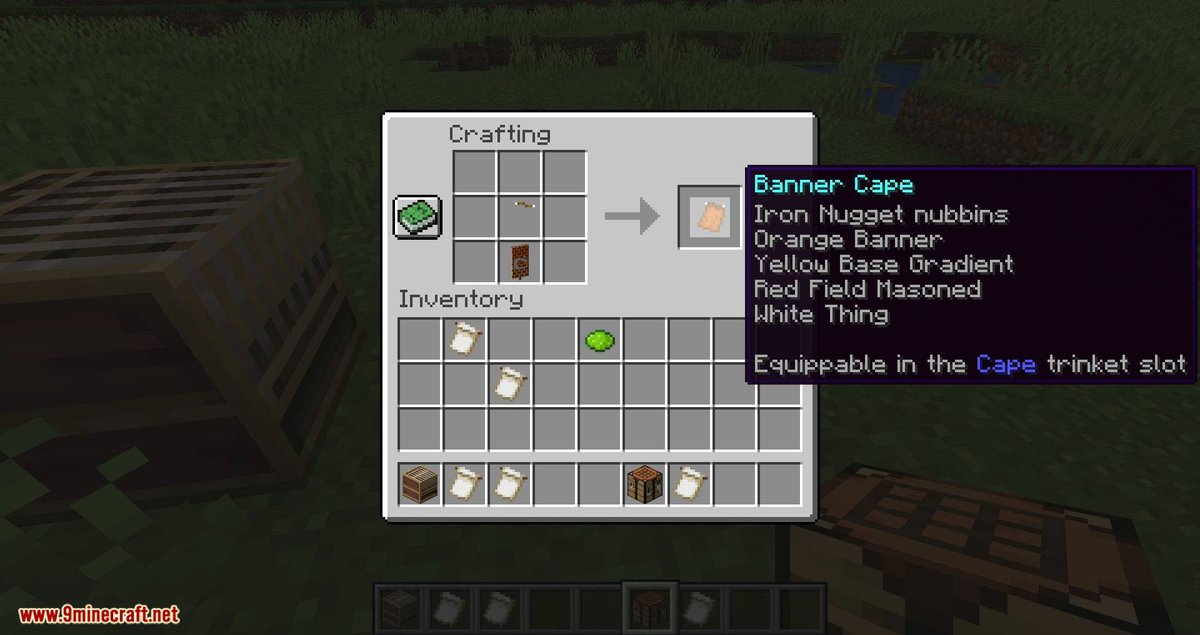
Minecraft banners are far more than simple decorative blocks; they're a canvas for profound creative expression, a critical tool for navigation, and a subtle nod to advanced game mechanics. While crafting a basic banner is straightforward, truly mastering Advanced Minecraft Banner Crafting & Layering Techniques unlocks a universe of over 23 quadrillion design possibilities, transforming your builds from functional to breathtakingly unique. Whether you're marking territory on a bustling multiplayer server, adding flair to your shield, or simply creating stunning art, understanding the nuances of layering patterns and leveraging rare materials is your key to elevating your in-game identity.
At a Glance: Banner Crafting Essentials
- Start Simple: Combine 6 wool and 1 stick for a plain banner. Base color is permanent in Java, removable with bleach in Bedrock.
- Master the Loom: Your go-to tool for customization. Add banner + dye + pattern.
- Layer Up: Up to six patterns per banner using the loom; more possible with commands in Java Edition.
- Special Patterns: Unlock unique designs using specific items like Creeper Heads or even rare finds like the Flow banner pattern.
- Duplicate Easily: Copy an existing design by placing it with a blank banner (same base color) in a loom.
- Beyond Decor: Banners serve as map markers, shield designs, fuel, and integral parts of Redstone contraptions.
From Simple Cloth to Masterpiece: The Foundation of Banner Crafting
Every grand design begins with a blank slate. In Minecraft, that means understanding the fundamentals of banner creation before you dive into intricate layering.
Crafting Your Base Banner
Creating a plain banner is the first step, and it dictates the foundational color of your masterpiece. You'll need 6 wool blocks of the same color and 1 stick. Arrange them in a 3x3 crafting table grid: the 6 wool blocks fill the top two rows, and the stick goes into the middle slot of the bottom row.
The color of the wool you choose is crucial. In Java Edition, once a banner's base color is set, it cannot be changed. This means selecting your initial color carefully. Bedrock Edition players have a bit more flexibility; bleach can be used to remove a banner's color, reverting it to a blank, white state (though this will also remove any existing patterns). Consider this fundamental choice as you embark on your creative journey.
The Loom: Your Artistic Workbench
While a crafting table gives you the base, the loom is where the magic truly happens. It's the primary tool for applying patterns and dyes, making it indispensable for any serious banner artisan.
Crafting a Loom: You can easily craft a loom yourself using 2 wooden planks (any type) and 2 strings in a crafting table.
Using the Loom:
- Place your banner: Put your plain or already-patterned banner in the leftmost slot of the loom interface.
- Add a dye: Place your chosen dye color in the slot directly to the right of the banner. This dye will be used for the pattern you select.
- Select a pattern: The loom will display all available patterns based on the dye and any special pattern items you might have. Simply click on the pattern you wish to apply.
Each pattern you apply consumes one dye of the chosen color. You can layer up to six different patterns on a single banner using the loom. If you're a Java Edition player keen on pushing boundaries, you can actually apply more layers using in-game commands, opening up truly complex and unique designs that are impossible through standard gameplay.
Unlocking Exotic Patterns: Beyond the Basic Shapes
While the loom offers a respectable array of geometric and symbolic patterns, some of Minecraft's most iconic banner designs come from special banner pattern items. These rare or craftable items unlock unique motifs that can dramatically alter the character of your banner.
Craftable Special Patterns
Six out of the ten special banner patterns are craftable, requiring a piece of paper combined with a specific item. These pattern items are reusable once crafted, so you only need one of each to unleash its design countless times.
- Flower Charge (Flower Aspect): Combine 1 Paper + 1 Oxeye Daisy. Creates a delicate flower motif, perfect for nature themes or heraldic crests.
- Creeper Charge (Creeper Aspect): Combine 1 Paper + 1 Creeper Head. The iconic Creeper face, a must-have for any self-respecting Minecraft veteran.
- Skull Charge (Skull Aspect): Combine 1 Paper + 1 Wither Skeleton Skull. A menacing skull design, ideal for dark builds, pirate flags, or warnings.
- Thing (Mojang Banner Pattern): Combine 1 Paper + 1 Enchanted Golden Apple. This pattern depicts the old Mojang Studios logo, a classic for long-time players.
- Bordure Indented (Border Indented): Combine 1 Paper + 1 Vine. Creates an indented border around the edge of your banner, adding a sophisticated frame to other patterns.
- Field Masoned (Brick Aspect): Combine 1 Paper + 1 Brick Block. This pattern creates a brick-like texture, excellent for adding depth or representing structures.
The Elusive Non-Craftable Patterns
Then there are the patterns that demand exploration, trading, or a stroke of luck to acquire. These non-craftable patterns add an extra layer of prestige and challenge to banner crafting.
- Snout (Piglin Snout Banner Pattern): Exclusively found in Bastion Remnants in the Nether. This pattern displays the unique snout of a Piglin, making it perfect for Nether-themed builds or a trophy from your adventures.
- Globe: A Bedrock Edition exclusive, this pattern can be acquired by trading with Master Cartographers. It features a stylized globe, fantastic for map rooms or representing exploration.
- Flow (Flow Banner Pattern): Widely considered the rarest banner pattern.
- Java Edition: The Flow banner pattern is a coveted prize, found in Trial Chambers after successfully completing an Ominous Trial. These trials are triggered by using an Ominous Bottle near a Trial Spawner, escalating the challenge and the rewards. It showcases a dynamic, swirling design.
- Bedrock Edition: In Bedrock, the Flow pattern can sometimes be traded from villagers, though it remains a rare find.
- Guster (Guster Banner Pattern): Another Bedrock Edition exclusive, the Guster pattern can be obtained by trading with villagers. It features a unique windy or swirly design.
Acquiring these non-craftable patterns adds a special touch to your banner collection, signaling your dedication to exploration and trading. You can learn more about finding these treasures and other rare items by checking out guides on Minecraft rare item locations.
The Art of Layering: Crafting Complex Visuals
The true power of advanced banner crafting lies in judicious layering. Combining multiple patterns and colors in a specific order allows you to create designs that are far more intricate than any single pattern could achieve.
Understanding Layering Order
Each pattern you apply through the loom is placed on top of the previous ones. This means the order matters immensely. A "base" pattern should be applied first, followed by "mid-ground" details, and finally "foreground" elements. Experimentation is key, as shifting the order can dramatically change the final look of your banner.
A Simple Example: Creating a "Moon" with a Dark Horizon
- Base Layer: White Circle (Field). This will be your moon.
- Mid-Layer: Black Base (Base Indented). This creates a dark horizon line, making the white circle appear like a moon peeking over it.
- Top Layer: Black Stripe (Stripe). Add a thin black stripe on top if you want a sharper "horizon" effect or a stylized landscape.
Leveraging Color Theory
Beyond just patterns, the intelligent use of color can elevate your banners. Consider basic color theory:
- Complementary Colors: Using colors opposite each other on the color wheel (e.g., blue and orange, red and green, yellow and purple) creates high contrast and visual pop. A blue banner with orange patterns will be striking.
- Analogous Colors: Colors next to each other on the color wheel (e.g., blue, green, and yellow) create harmonious, soothing designs.
- Monochromatic Schemes: Using different shades and tints of the same color can create subtle depth and elegance.
Don't be afraid to experiment with how different dyes interact. Sometimes a vibrant color paired with a muted tone can bring out the best in both.
Advanced Design Concepts & Inspiration
Think abstractly. Simple geometric shapes can combine to form complex images.
- Gradient Sunset: Layer Red Gradient (Top), Orange Gradient (Middle), Yellow Gradient (Bottom) to evoke a beautiful sunset.
- Geometric Patterns: Combine triangles (Chevron), squares (Lozenge), or checkerboards using different colored layers to create intricate, repeating designs.
- Nature Themes: Use the Flower Charge, combined with various green and brown stripes or borders, to create botanical designs.
- Minimalist Designs: Sometimes less is more. A single base color with a simple, contrasting pattern like a cross or stripes can be incredibly elegant.
- Fantasy & Heraldry: Create your own coat of arms using various charges (Creeper, Skull, Flower) and borders (Bordure Indented).
- Character Symbols: Design banners representing your favorite in-game characters, factions, or even real-world logos.
- Seasonal Themes: Think holiday colors and specific patterns for festive decorations.
Remember, the vast number of combinations means you’re unlikely to run out of unique ideas. Many players also use online Minecraft banner generators to prototype designs before crafting them in-game.
Beyond Decoration: Practical Applications & Actionable Insights
Banners are more than just pretty pictures; they're incredibly functional elements within the Minecraft world. Mastering their practical applications can greatly enhance your gameplay.
Marking Territory and Navigation
- Territory Marking: On multiplayer servers, banners are the universal sign of ownership. Use them to clearly delineate your base, farms, or claimed resource areas. A distinct faction banner instantly communicates your presence.
- Map Indicators: This is a game-changer for navigation. Right-click a placed banner with a map in your hand, and it will add a colored marker to that map, pinpointing the banner's location. This is invaluable for marking points of interest, hidden stashes, or directions back to your base. Create a network of marked banners for foolproof exploration. Need help with navigation? Check out tips on advanced Minecraft navigation techniques.
Customizing Your Gear
- Shield Customization: Elevate your personal style (and intimidate foes!) by combining a designed banner with a shield in a crafting table. The banner's design will be applied to the shield, giving your defensive gear a unique look. This is a fantastic way to display your faction's emblem or a personal insignia as you adventure.
Decorative & Functional Building Blocks
- Interior Design: Banners are incredibly versatile decorative blocks. Use them as elegant curtains, grand tapestries, unique headboards for beds, or even as dynamic signage within your builds. Their ability to hang on walls or from ceilings offers many creative possibilities.
- Outdoor Flair: Place banners on fences or in item frames to add color and character to exterior walls, gatehouses, or market stalls.
- Redstone Integration: For the technically minded, banners can be integrated into Redstone contraptions. Use them as functional indicators (e.g., "power on/off" banners that change based on Redstone signals) or to hide Redstone components behind them, blending utility with aesthetics.
Unexpected Utility: Fuel & Duplication
- Fuel Source: While not their primary purpose, banners can be used as fuel in furnaces, smelting 1.5 items each. Keep this in mind if you're ever in a pinch.
- Duplication: You've spent hours perfecting that intricate design – now you need more! To duplicate an existing designed banner, simply place the original banner and a blank banner (of the exact same base color) into a loom. No dye is required. The loom will create an identical copy, allowing you to easily mass-produce your custom flags for all your building and marking needs.
Multiplayer Coordination
Work with your friends or faction members to design cohesive banners. A unified set of banners displaying a shared symbol or color scheme can foster group identity and make your collective builds instantly recognizable. Coordinate on designs, share rare patterns, and create a truly unique presence on your server. For more collaborative project ideas, explore articles on Minecraft multiplayer creative projects.
Common Questions & Clarifications
You've got questions, we've got answers. Let's clear up some common points of confusion regarding advanced banner crafting.
Q: Can I change a banner's base color after it's made?
A: In Java Edition, no. Once you craft a banner, its base color is permanent. In Bedrock Edition, you can use bleach to remove all patterns and revert the banner to a plain white state.
Q: How many layers can I put on a banner?
A: Using the loom, you can apply up to six distinct patterns. Java Edition players can exceed this limit using in-game commands.
Q: Are special banner pattern items consumed when used?
A: No, special banner pattern items (like the Creeper Charge or Flow Banner Pattern) are reusable. You only need to craft or find them once, and you can use them repeatedly in the loom.
Q: Does duplicating a banner consume the original?
A: No, duplicating a banner in the loom requires the original designed banner and a blank banner of the same base color. The original designed banner is not consumed; it simply creates a copy.
Q: Where is the best place to find rare banner patterns?
A: It depends on the pattern! The Snout pattern is found in Bastion Remnants. The Flow pattern (Java) is from Ominous Trials in Trial Chambers, while Bedrock players might trade it from villagers. Globe and Guster are Bedrock villager trades. Exploration and trading are your best bets.
Your Banner, Your Story: The Next Steps
Mastering advanced Minecraft banner crafting and layering techniques is a journey of creativity and strategic application. You've now got the tools, the knowledge of special patterns, and the understanding of how to layer and duplicate your designs. From subtle gradients to bold faction symbols, your banners can tell stories, mark history, and define your presence in the vast world of Minecraft.
Don't be afraid to experiment. Spend time in creative mode prototyping designs, leveraging online banner generators, and thinking outside the traditional crafting box. The next time you set out on an adventure or embark on a new build, consider how a perfectly crafted banner can not only beautify your world but also make your gameplay more organized, expressive, and truly your own. The canvas is yours – go create something extraordinary.